Motorino XPi Electric Scooter

IMG_8181

When was the last time you heard of something that was ecologically friendly AND fun? This electric scooter fits the bill and is a great little city get-about.  The XPi is one of a series of electric scooters made by Motorino.  This one is built on a motorcycle frame and has a passenger seat and a trunk which is great for picking up groceries.  In many cities these scooters are classified as electric bicycles, which means you don’t need any special license or insurance to ride them, unlike gas powered scooters.

Continue reading “Motorino XPi Electric Scooter”

Ain’t your fathers Oldsmobile

I like gadgets. And I like 60s muscle cars. Yet somehow I just can’t muster up enthusiasm about this product: The SoundRacer v8. Just plug it into the cigarette lighter in your economy car and get muscle car sounds coming out of your speakers. Be sure to roll down the windows so people can hear the new badass sounds your car makes. And such a bargain at only 50 bucks!

want: Wireless Heart Rate Monitor for iPhone

pulsebeat

CC Photo by Lars P.

Here’s a product I’d like to find that just doesn’t seem to be available yet: a wireless heart rate monitor for the iPhone. I use RunKeeper when jogging to track distance, speed and elevation. This is a terrific app that produces beautiful graphs of your run allowing you to compile and share data, but there’s one data point missing and that’s heart-rate. A heart rate monitor would allow you to aim for target zones and optimize calories burned as well as track improvements in your fitness level.

There’s a couple of ways I could see this working, none of which seem like they’d be too difficult to implement.

1) A wireless bluetooth heart rate monitor.
This would strap on your chest and sync to your phone allowing data to be streamed and tracked as you run. You would need no extra hardware physically attached to your phone.

2) A dongle that picks up existing wireless standards from heart rate monitors
There are a few different standards already out there for wireless heart rate monitors used by Polar, Suunto and Garmin to name a few. Why not use one of the existing ones? A reciever that could plug in to your iPhone and send data to an app (ideally runkeeper) would be excellent as long as it wasn’t to large or unwieldy. Considering they fit recievers into watches, I don’t see why they would need to be very large.

So if you’re reading this and your work for one of the fitness equipment manufacturers out there, how about it?  Can we have a heart rate monitor that will work with the iPhone.

Or if I’m wrong and such a product already exists I’d love to hear from you – where can I get one?

Yep. Like iTunes for PDFs

yep3panel

Is there a software package out there that can help you tag, sort and organize a collection of PDF files? Yep.

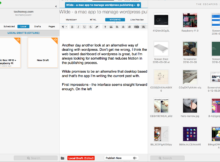
Ironic Software makes a few different tools for sorting, organizing and searching for information on OSX.  Yep is their PDF catalog tool, and is the only one of their products I’ve tried, but I can vouch for its usefulness and sensible design.  I’m using it with a Fujitsu ScanSnap to convert old paper to new digital files that are organized and searchable.

Unlike iTunes, iPhoto or Calibre, Yep doesn’t move files into its own structure.  Instead you sent directories you want it to monitor (I have one for scans) and as soon as new PDFs show up there they’ll be added to Yep.  You can also drag files into the program from other locations, and add tags to make finding stuff later easier.

I’m finding this to be a very useful program in my effort to move away from paper.  Combined with the ScanSnap I’m slowly converting old nostalgic paperwork into digital form and getting rid of mass.  Yep strikes the right balance between simple and powerful to do exactly what I need it to do.

Free domain registration!

Ok, who likes freebies and wants a free domain name? I’ve got a couple of promo codes from the registrar gandi.net to give away. I’ve used them as a registrar for 10 years now, and am very happy with them. If you want to register a new domain name for free, post your reason in the comment section below and send me an email.

I’ll select a winner by Monday March 22nd 2010 and email you the code. You’ll then have until March 31st to register a domain before the code expires. This code will be good for registering any of the following types of domain: .fr, .tel, .com, .net, .info, .me, .mobi, .uk, .be, .eu

And if you’re wondering what your chances of winning a free domain registration code is, it’s very good.  This site has only been live for about a month now and has barely any readers.  Chances are if you post a reasonably well thought our response in the comment section below, you’ll get a free domain registration code.  Good luck!

Here’s the FAQ for the gandi registration codes.  Entries will be judged on the creativity of comments.

Mac OSX drivers for Windows Scansnap

scansnapmac

I recently bought a Fujitsu ScanSnap s300 – this is a compact portable USB powered duplex sheetfeed scanner, and first off let me say I am DELIGHTED with the hardware. It appears to be solidly built, well designed and has been completely reliable for the short time that I’ve been using it. Its small enough to fit in my laptop bag, and can be powered completely off of USB, although you need to use two ports. You simple lift the lid/sheet feeder to turn it on, and being able to quickly scan both sides of a stack of documents and turn it into a PDF that is text searchable is fantastic. Even the software that ships with it is serviceable for managing your scans, though not ideal.

So what’s not to like?

One thing. Fujitsu has tried to artificial separate the same piece of hardware into two different markets. They have a Mac OS X version called the s300m that is the one I apparently should have bought for my Macbook, while the s300 that I did buy is only for use on my PC.

..YET, here I am using the s300 (pc version) to scan documents on my Mac. How can this be? Simple. The Mac and PC version of the Scansnap are identical except for two minor differences:

1: the color of the plastic.
2: a small id code in the unit that says whether its the Mac or PC version.

That’s IT! Fujitsu is intentionally spending more to separate the same product into two different lines, apparently in the hopes that consumers will buy two, one for each platform. This is ridiculous. Surely I’m not the only one that uses both Mac and PCs, but doesn’t care to buy two of every peripheral when their hardware is the same. And it’s not only the s300 series, Fujitsu is pulled the same trick with the s1500 and s510 series.

Continue reading “Mac OSX drivers for Windows Scansnap”

How to build an iPhone car cradle

iPhone Car Cradle

This is the EASY way I built an iPhone cradle for my car – using the ashtray.  I’m using a JVC KD-800 deck because it was cheap, had built in head unit control for the iPhone* (not just ip0d), and most importantly had 2 USB ports, one in the front and one in the back.  On a side note, I’m quite happy with this JVC deck.  It has all sorts of extras I don’t use, like bluetooth and is HD and Satellite radio ready (with an extra adapter).  I use the front USB port with a thumbdrive and have wired the back port to my DIY car cradle hack.

I plugged a standard iPhone charge/sync cable in the back of the deck when I installed the head unit, and ran it down behind the ashtray, which in my car is located in the same center console.  I pulled the ashtray out and removed the tray itself leaving only the drawer that held it.  I then needed a cradle to hold the iPhone.  I think you could use any standard iPhone/iPod charge cradle, but it would have required cutting to fit in my ashtray, and they’re only available in white.

iphonecar_3I wanted a shiny black cradle, so I got this Scosche charge adapter which is supposed to help with charging issues in old cradles.  Why you wouldn’t just buy a new cradle if you had that problem I don’t know, since they cost about the same as the adapter, but it was perfect for my needs.

I pried the cradle part with the cable port in it out of the plastic base and it was almost a perfect fit for my ashtray – I expected to have to do some drilling to hold it in, but lo and behold, the two screw ports that held the ash tray in matched up with two wholes in the Scosche adapter.  I just plugged in the cable, attached the cradle to the inside of the ash tray drawer and popped it back into my console.  There are a few things I intended to fix about this installation, but since it ‘just works’, I’m not sure if I ever will.  This is what the ashtray looks like without the phone in, I haven’t bothered to hide the cable yet since it doesn’t interfere with the tray sliding in and out and the phone covers it when its in the cradle.

Here’s on more shot of the phone in the cradle.  It covers part of the ventilation controls, but you can still access them and I don’t find it inconvenient.

iphonecar_1

*a head unit built for iPhone control is important because decks built just for use with the iPod can pick up interference from the mobile phone causing extra static and stress while listening to music.

Mosquito shot down by lazers

mosquito_lazer_shootdown

I’m fortunate enough to live in a part of the world where malaria is not a big problem, but I still hate mosquitos.  That’s why I desperately want one of these – it’s like a anti-aircraft canon that detects a mosquito by its wing beat frequency and then shoots them out of the air with a laser..  That’s just fantastic.

Check out the Intellectual Ventures web site for fantastic HD video of mosquitos being shot out of the air in slow motion.  The end motion gif above has frames taken from the end of the third video in that link.

Why I’m not buying an iPad (yet)

ipadNo, this isn’t another rant about how stupid the iPad is, or how apple got it so wrong / right.  This is just a personal note on what I’m seeking in a tablet.  The form factor of the iPad looks great, and a simplified device to browse the web and send email could be a handy addition around the house.  I’m not even all that upset at the lack of flash support.

There’s just one thing that I’m waiting for in a tablet, and the iPad doesn’t have it yet: a pressure sensitive touch screen.

Apple sensibly recognizes that I’m in the minority, and that adding a pressure sensitive screen would up the cost on this entry level gadget, but what I’m looking for is something I can draw on.  A device that doesn’t just mimic brush stroke thickness, but actually responds to the amount of pressure applied to the screen.

My old IBM thinkpad x41 tablet had pressure sensitivity, and I can tell you the difference between drawing on it vs. a non pressure sensitive surface is night and day.  I’ve seen some nice art done without pressure sensitivity, but it’s a bit like driving with square wheels. Sure it can be done, but why not just do it right?  Of course the x41 isn’t actually touch sensitive, you use a stylus to draw on it, and the stylus sends the pressure information similar to the way a wacom tablet works.

The best case scenario (imho) would be a light sturdy tablet that has enough power to be responsive to drawing in multiple layers, with the ability to use fingers or styluses.  Perhaps they could use something like Peratechs Quantum Tunneling Composite, though I’m not sure what that would add to the cost.  I’m eager to see a proper digital sketchbook on the market.  The iPad is almost there.  If Apple comes out with an ‘artists version’ that enables pressure sensitivity and has enough power to run Photoshop or Autodesk Sketchbook without any lag, I’m all over it.

Oh.. And would it kill you to put an SD card slot on it?

Identifying the right font

whatfont

During my dayjob I design and direct animation for tv series and commercials.  Like anyone else who works in graphics or design there are a surprising number of times when I’m called upon to match a font.  In this case the client isn’t sure what font they are using for their identity, but it’s important that it remains the same.  Now you could run through the list of fonts on your machine trying to find the right match, but that can be time consuming and not always successful.  So what’s a poor designer to do?

Enter What the Font, the brilliant online tool to compare and match fonts.  If you have an image of the font you need matched (tif, jpg or gif) you can upload it and quickly get possible matches displayed for you.  This works best if your source image is a greyscale tiff with a letter height of about 100 pixels, but even if your submission doesn’t match those parameters this utility is surprisingly effective.

And if the automated process doesn’t work they have a forum filled with helpful typography enthusiast that can help you identify the correct typeface.  Quick, free and easy to use.  What’s not to like?